
figo is a C++ vector UI library: your .fig file (or a React/HTML page) is no longer
a "reference image" — it is the UI. Vector rendering, responsive layout,
scriptable logic, one-command multi-platform packaging. Any game engine can
integrate it in a few dozen lines.
The core library is MIT open source; the engine-export
converter plugins are commercial, released per engine —
figo2unity is available now, Cocos / Godot editions are coming soon.
Design files and the UI that actually ships have always lived in two different worlds: designers finish in Figma, engineers rebuild everything by hand in the engine. figo merges those two worlds into one.
Every input is normalized into one intermediate representation — canvas.json — which the core library renders or exports. One pipeline: designs in, running interfaces out.
Runtime path: node tree → ThorVG scene graph → SwCanvas → RGBA8888 pixel buffer
(straight alpha) → uploaded as an engine texture; scrolling / transitions never rebuild
the scene — dirty-region redraw only. Translucent UI regions let the game world show through.
Component instances and variant switching, constraints + auto-layout responsive reflow,
gradients / shadows / blur, multilingual rich text with per-glyph font fallback,
clipsContent clipping.
Click / long-press / swipe / inertial scrolling / snap pickers, page navigation transitions, editable text, slider binding, design-token theming with one-call light / dark switching.
ui.bindList data binding, ui.navigateTo transitions,
fetch() / localStorage / timers included — edit the .js
and it hot-reloads.
A local editor with Figma-style controls and an embedded MCP server — AI can read and modify layers directly and take screenshots to check its own work, sharing one undo history with you.
figmapack turns one app project into a Windows executable,
a Web (wasm) build, and an Android APK — three platforms, one design, one script.
Shipped as a Claude Code plugin: scaffold → AI designs inside the editor → write logic → screenshot self-check → design critique — the whole loop packaged as skills.
The fastest path is the Claude Code plugin — the full loop is already packaged as skills. You can also drive every step manually from the command line.
After installing, run figo:setup once to install and
verify the toolchain (prebuilt binaries on Windows, source build on macOS / Linux).
/plugin marketplace add nowasm/figo
/plugin install figo@figo
Tell Claude "build a weather app" and the figo:new-app
skill takes over: start from a runnable template, let AI construct the interface
through figoedit's MCP (you can Ctrl+Z anything), then write app.js.
The manual path:
# scaffold from a template (tab-shell / list-detail / form)
python tools/figmanew.py myapp --template list-detail
# open the visual editor (AI edits through MCP alongside you)
figoedit myapp/design.json
Logic is plain JavaScript — the full API lives in
include/figo/script.h. Edit the .js while figoplay
is running and it hot-reloads.
// app.js
ui.setResizeMode("reflow");
ui.bindList("portfolio-list", coins.length, (item, i) => {
  item.find("Heading").child(0).text = coins[i].symbol;
});
ui.onClick("Card", (node) => {
  ui.navigateTo("Coin Info", "slideLeft", 0.28);
});
figoplay myapp                          # run
figoplay myapp --shot out.png           # screenshot self-check (the AI's eyes)
Ship it as a standalone app on three platforms, or export it as native engine assets and blend the UI into an existing game.
python tools/figmapack.py myapp -t all  # Windows / Web (wasm) / Android APK
figo2godot design.fig out --prefabs     # Godot 4 project (.tscn + component prefabs)
figo2unity design.fig out               # Unity UGUI prefabs
figo2cocos design.fig out               # Cocos Creator 3.x prefabs
The core library is fully engine-agnostic — the raylib reference backend is about 200 lines. The entire C++ integration:
auto ui = figo::FigmaUI::fromFile("menu.fig");
ui->onClick("btn-start", [&](figo::Node&, float, float) { startGame(); });

figo::RaylibFigmaView view(*ui);
while (!WindowShouldClose()) {
  view.update();      // input + dirty-region redraw + texture upload
  BeginDrawing();
  drawGameWorld();    // the game shows through translucent UI regions
  view.draw();
  EndDrawing();
}
From a one-sentence request to a running app: design → logic → self-check → multi-platform delivery.
Every screenshot below is live output from figoplay — these aren't mockups, they're running programs.
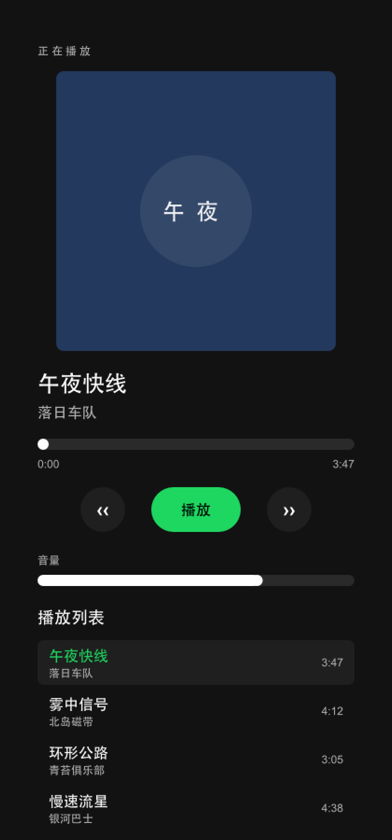
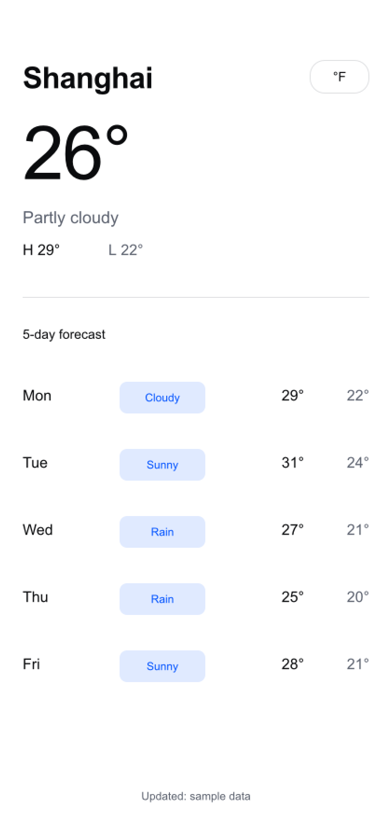

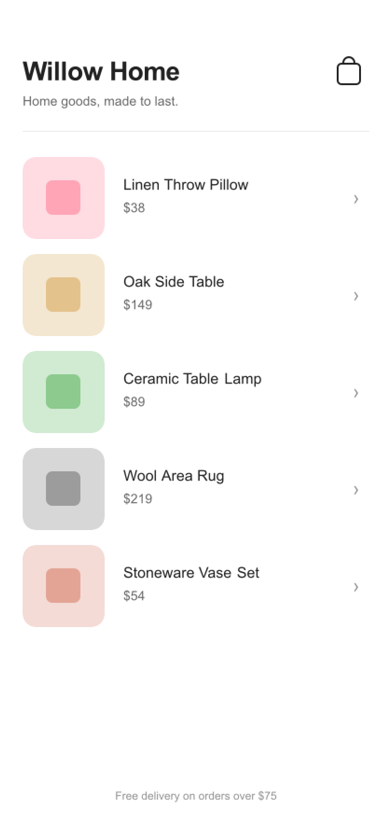
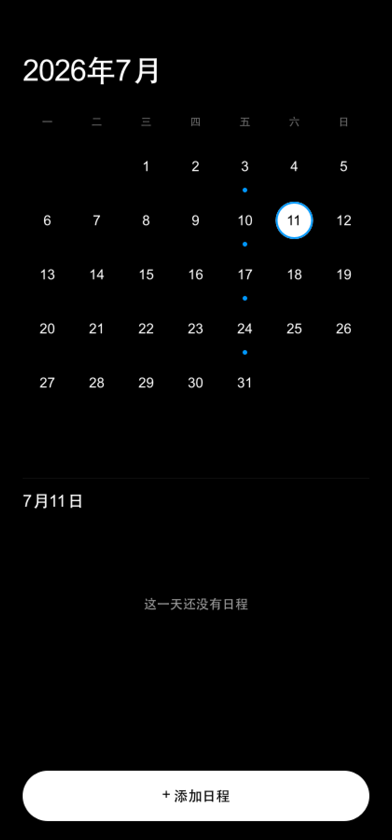
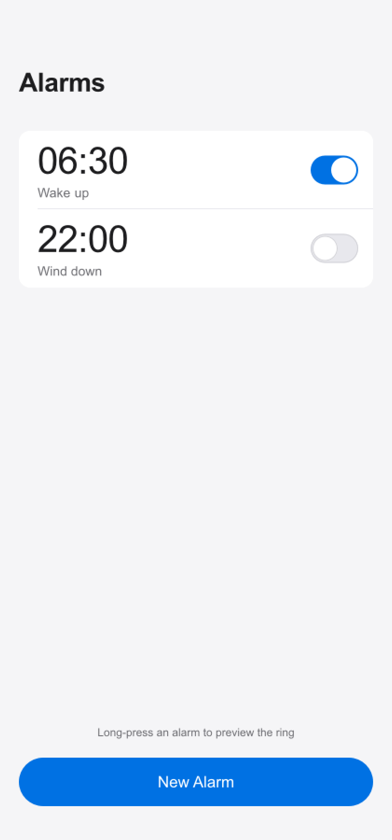

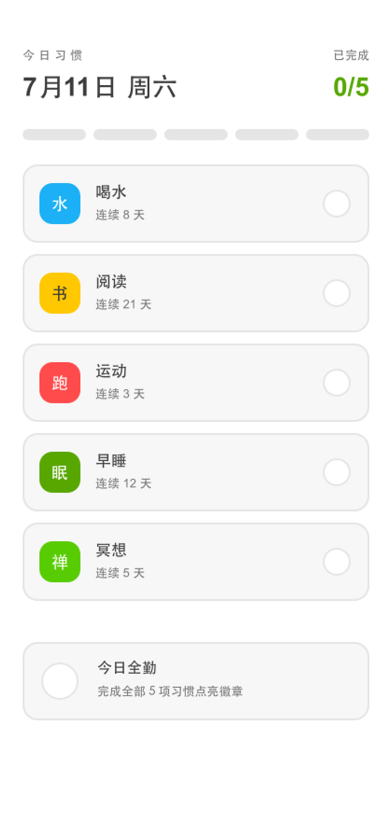
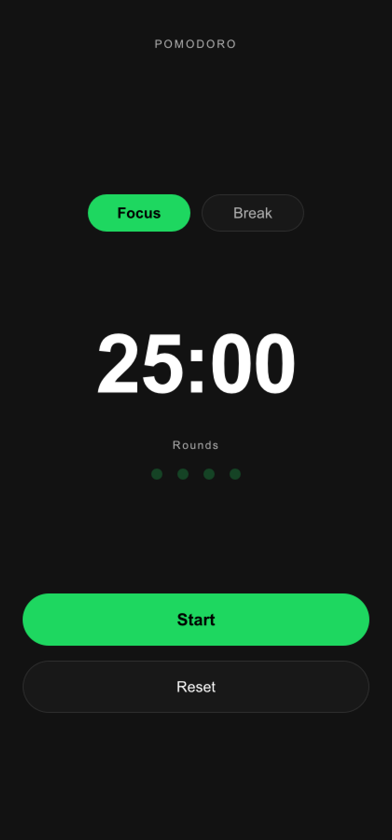

Each app is just a directory: design.json + app.js + app.json —
all sources live in the repo under examples/apps/.
The product line is simple: the core library renders and runs your design — free and open source; the converter plugins export it as native engine assets — commercial, released per engine. Plugins share the core's rendering pipeline, so exported assets are pixel-identical to the design.
C++ vector UI library: loads .fig files directly, responsive layout, JS scripting runtime (figoplay), visual editor (figoedit), one-command standalone packaging (figmapack: Windows exe / Web wasm / Android APK). Free for any project.
Get it on GitHub →Unity Editor plugin: .fig → UGUI prefabs (.prefab + textures + .meta), nested component prefabs, font matching, Gamma / Linear color space.
.prefab + textures + .meta — drag into assets/ and open; content-derived UUIDs keep re-runs stable and diffs clean.
Full Godot project output: .tscn scenes + deduplicated sprites + component PackedScene prefabs; a React/HTML page converts in one command too.
figmapack (standalone app packaging) is part of the open-source core and ships free with figo core; the three converter plugins share the core's rendering code — you only pay for the "export to your engine" step.
For business inquiries, technical support, or bug reports, reach us directly:
Email: boruis@gmail.com
Issues & feature requests: GitHub Issues
Community: Discord server